How to register for OSU Strike School
The state registration form uses the wrong location in the session title. Follow these steps to select the correct OSU session and finish registering for Sept. 9.
By SEIU Local 503 at Oregon State University
Published
PLEASE READ BEFORE REGISTERING
Select this exact session in the state registration form
9/9 OSU Campus - Monroe Hall - Strike School
The title is wrong, but this is the correct OSU session. We are meeting at Westminster House, 101 NW 23rd St., Corvallis—not Monroe Hall.
OSU Strike School details
- Date
- Wednesday, Sept. 9, 2026
- Time
- 5:30–8 p.m.
- Location
- Westminster House
101 NW 23rd St.
Corvallis - Food
- Pizza and salad will be provided.
Register step by step
The form has several screens. You are not registered until you complete the final step and see a confirmation message.
Open any screenshot to enlarge it. These screenshots were captured Sept. 1, 2026. The state may move items, but use the exact session title and button labels below.
-
Open the state registration form
Select Register to begin. You can use the purple Register button in the event card or the purple button at the top right.

The page may show Aug. 29. Select “Register” first; you will choose the Sept. 9 OSU session later. -
Register one participant
Set Qty to 1, then select Register at the bottom right.
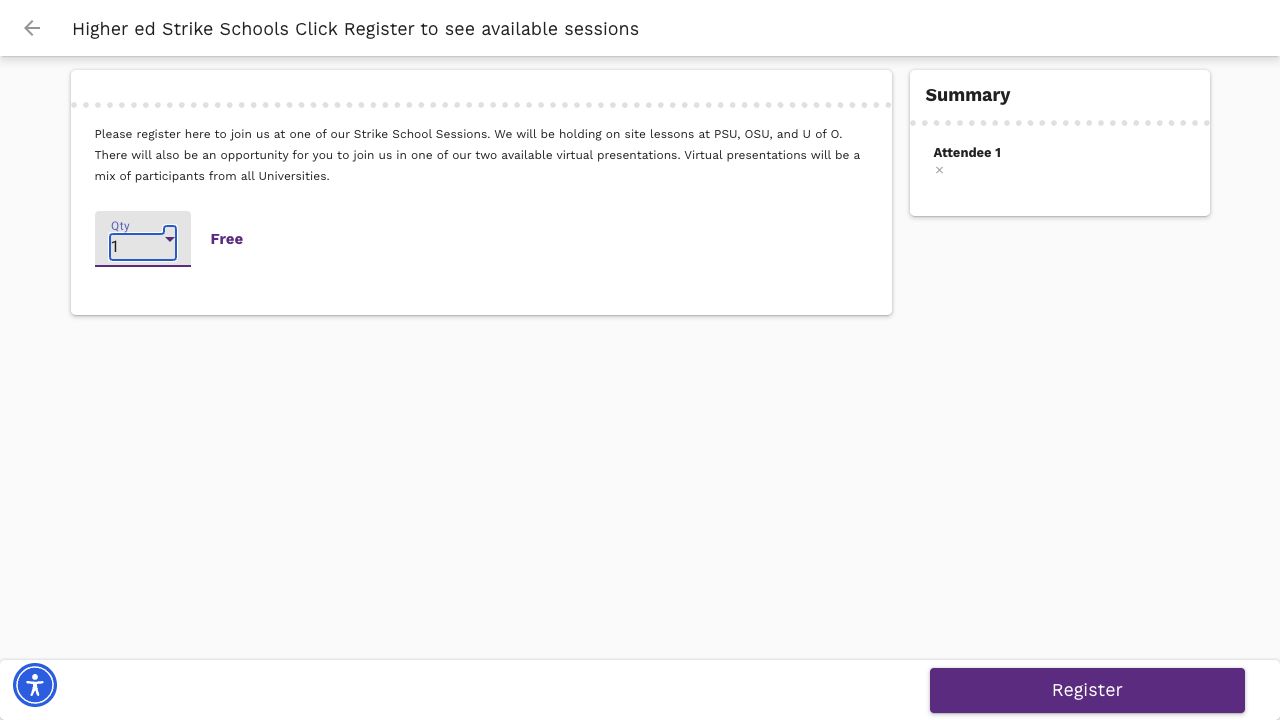
Set “Qty” to 1, then click “Register.” The second Register button is at the bottom right of the screen. -
Enter your information
Enter your first name, last name and home email. A cell phone number is optional. Check the code-of-conduct box, then select Review Sessions.
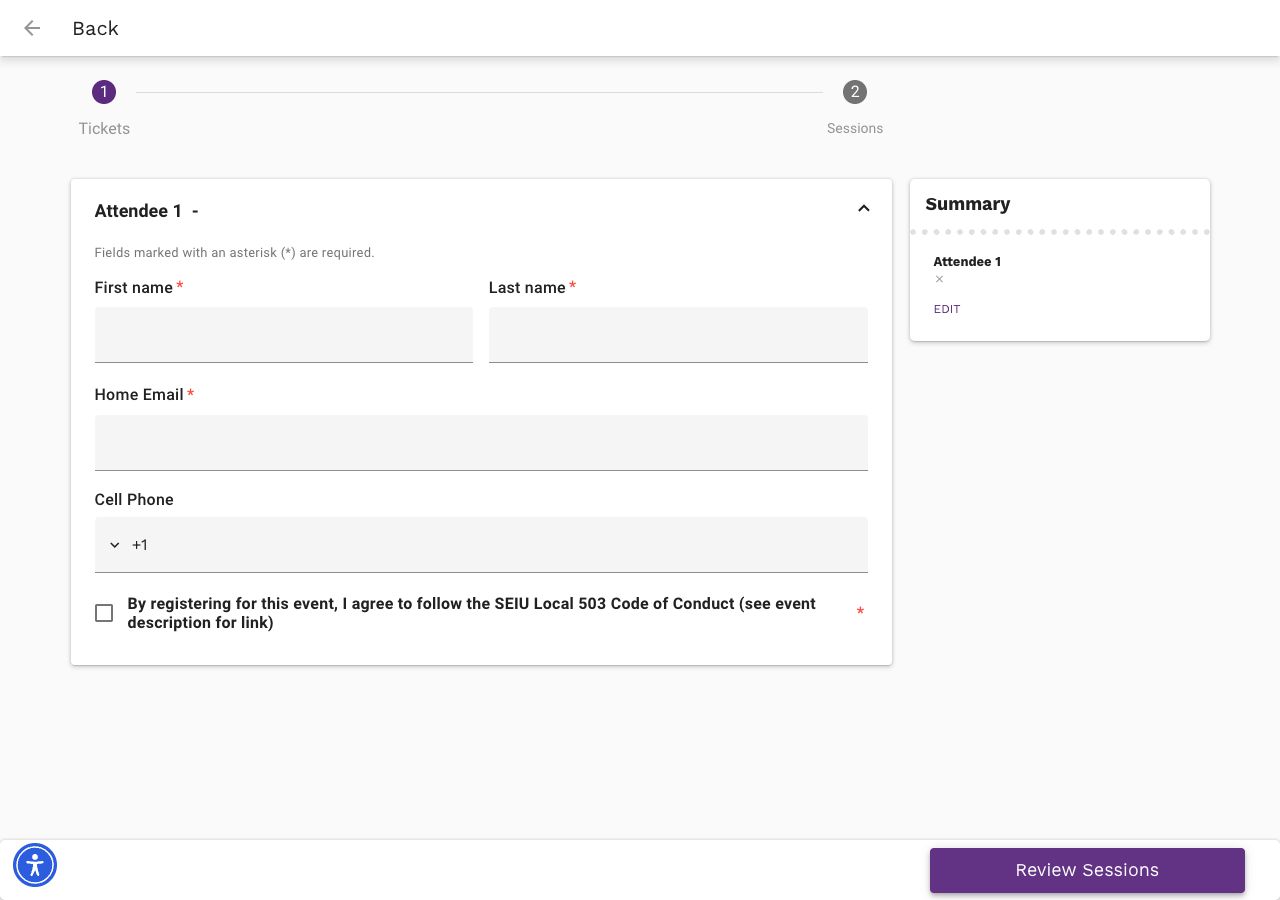
Complete the required fields and check the code-of-conduct box. Then click the purple “Review Sessions” button at the bottom right. -
Select the correct OSU session
Open the Sept. 9 sessions and select:
9/9 OSU Campus - Monroe Hall - Strike SchoolThe title is wrong. This is the correct session, and the event details list Westminster House. Open the session, then select Add Session.
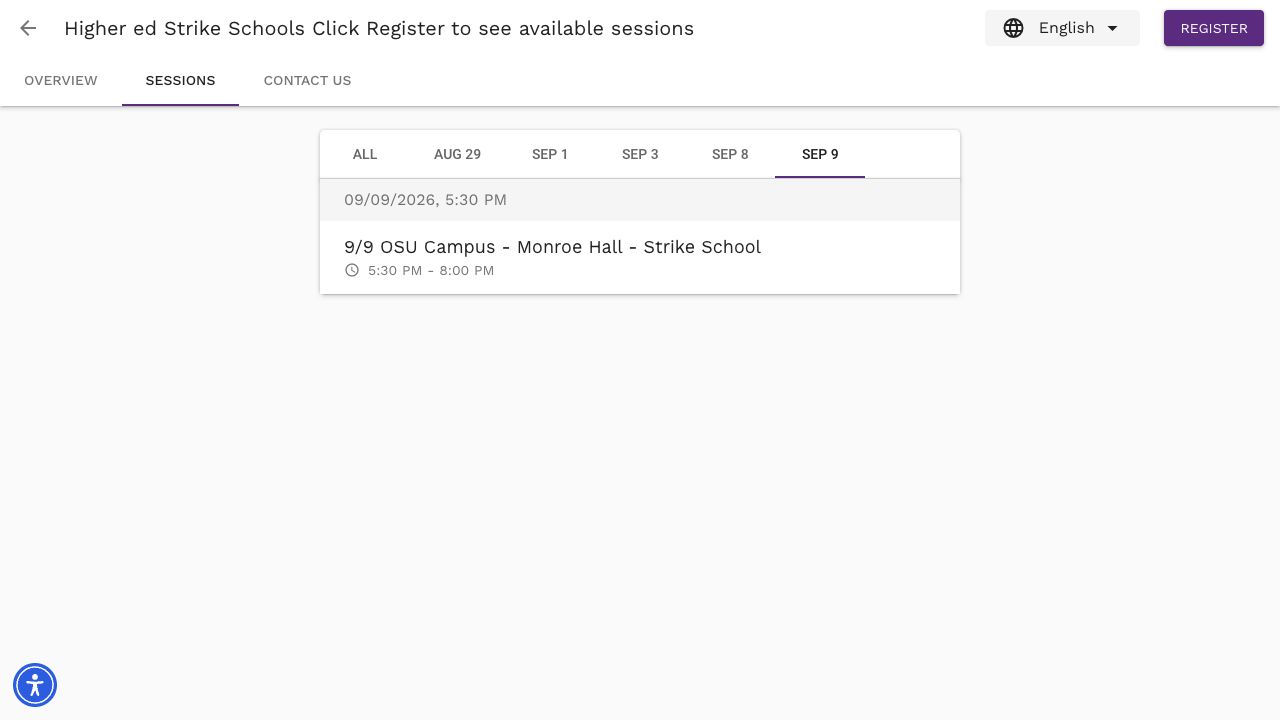
Choose “SEP 9” and open this exact OSU title. Then use the “Add Session” control. 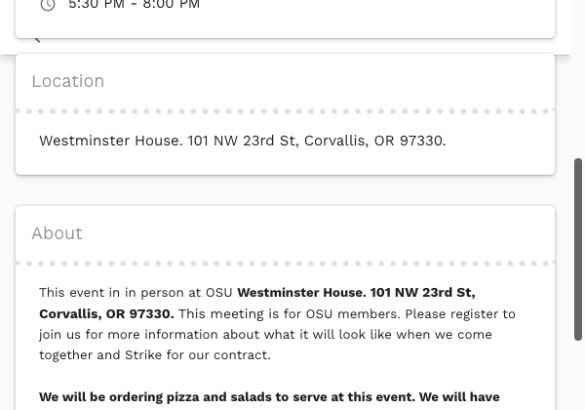
The details confirm Westminster House. Ignore “Monroe Hall” in the title; the location panel lists Westminster House, 101 NW 23rd St., Corvallis. -
Tell organizers what you need
Answer the meeting-needs question so organizers can prepare for you.
-
Finish your registration
Review your contact information and selected session, then complete the final registration step. Do not close the page until you see a confirmation message.
Ready to register?
Open the state registration form and select 9/9 OSU Campus - Monroe Hall - Strike School. Remember: We are meeting at Westminster House, not Monroe Hall.
Still stuck? Email [email protected] for registration help.